Update from: 2021-12-23
Official Security bulletin from AWS AWSSupportServiceRolePolicy Informational Update
https://aws.amazon.com/security/security-bulletins/AWS-2021-007/
You will find below details about the security incident that led to this unattended access for millions of AWS customers.
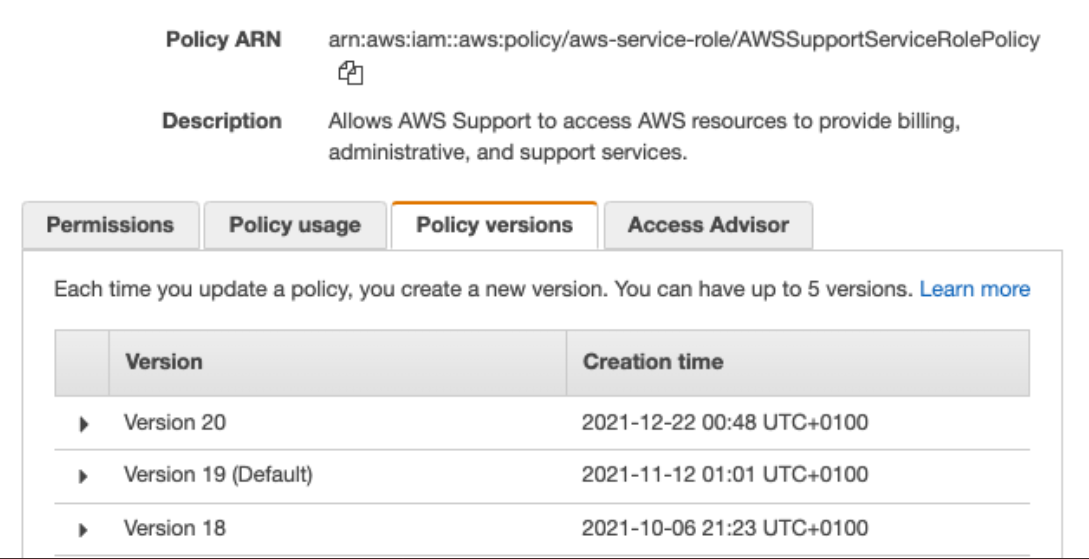
On 22nd December 2021, AWS deployed a new version (v20) of AWSSupportServiceRolePolicy, used by a mandatory role AWSServiceRoleForSupport for AWS Support access to all AWS Accounts. In this policy, they added the action s3:getObject, which gives AWS Support teams access to all customer Amazon S3 data.
Immediately, @mamip_aws bot detected this change and tweeted about it.
Then, Scott Piper and the cloudsec community of experts contacted AWS Security teams to alert them about this security incident.
A few hours later, in fact nearly 10 hours later, AWS reverted this change and made v19 the default version for everyone.
How can we audit events like this?
- You should enable CloudTrail S3 Data Events (❗ it can be costly for AWS accounts with a lot of S3 object movements).
- Using CloudTrail, review when the support role was last used (
AssumeRole). - Enable server access logs. You will not have a full picture here, as some info is missing.
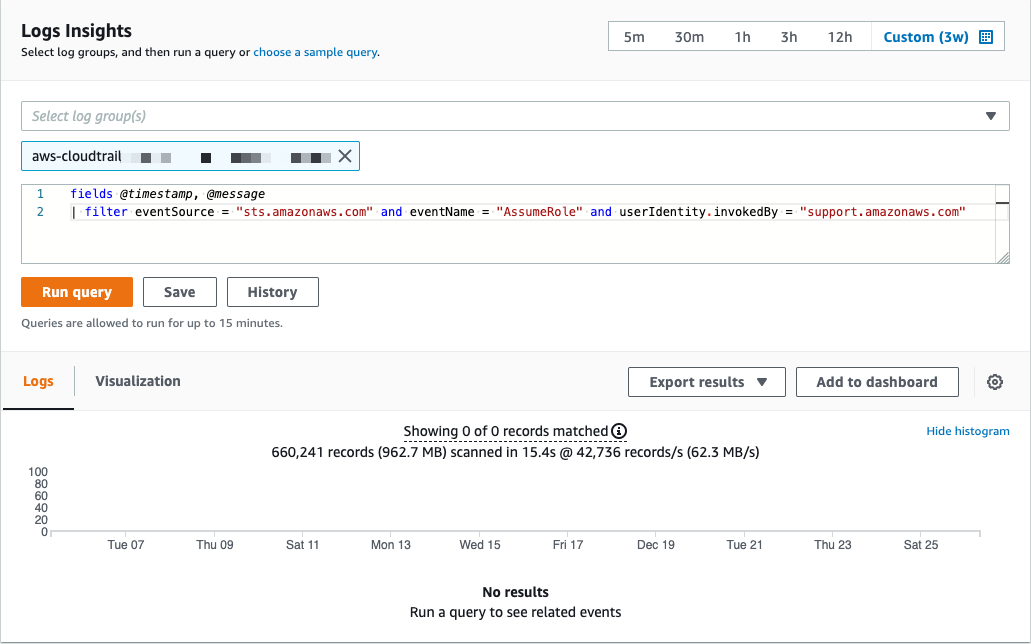
CloudWatch Insights query
In this example, you will search for AssumeRole events on CloudTrail events invoked by AWS Support teams.
How to prevent this kind of incident?
- ❌ You can’t delete the Support role:
AWSServiceRoleForSupport. - ❌ You can’t use Service Control Policies (SCPs) on a service-linked role.
- ❌ You can’t add an inline or managed policy with a
denystatement on this IAM policy. - ✅ You can use KMS-CMK or client-side encryption to control access.
- ✅ You can limit access using a resource policy (bucket policies).
Takeaways
- IAM is HARD, even AWS is failing at it.
- Changes made to IAM should always be peer-reviewed, manually, and using linting tools.
- Encrypt everything using your own customer-managed keys or client-side encryption.
AWS Security Digest
Don’t miss AWS security-related news with the AWS Security Digest Newsletter (once a week): http://asd.zoph.io
Follow this army of AWS Twitter Bots:
- @mamip_aws: Monitor AWS Managed IAM Policies
- @mase_aws: Monitor AWS Services Endpoints and Regions
AWS Statement
To be fair, a sum-up of AWS answers since:
- Rolled back because: rollback first, investigate, explain.
- AWS Support internal systems are incapable of making an S3 get on customer objects “by design”, trust us.
- The first intention with this change was to give the ability to call
HeadObject, which needss3:getObjectto get S3 metadata.
Read the following thread to better understand their position:
That’s all, folks! 👋🏼
zoph.