AI-Augmented Home Assistant
A small box runs in a network rack at home. It is a Home Assistant Yellow. It turns lights on, watches doors, pings my phone when the washing machine is done, and shuts a roof access point down before it cooks itself in a heatwave.
I have not opened that YAML by hand in months. An AI coding agent in my editor does the writing for me. I read the diff, I commit, I reload HA. Everything lives in Git.
I’ve switched from ClickHA to AI-Augmented HA.
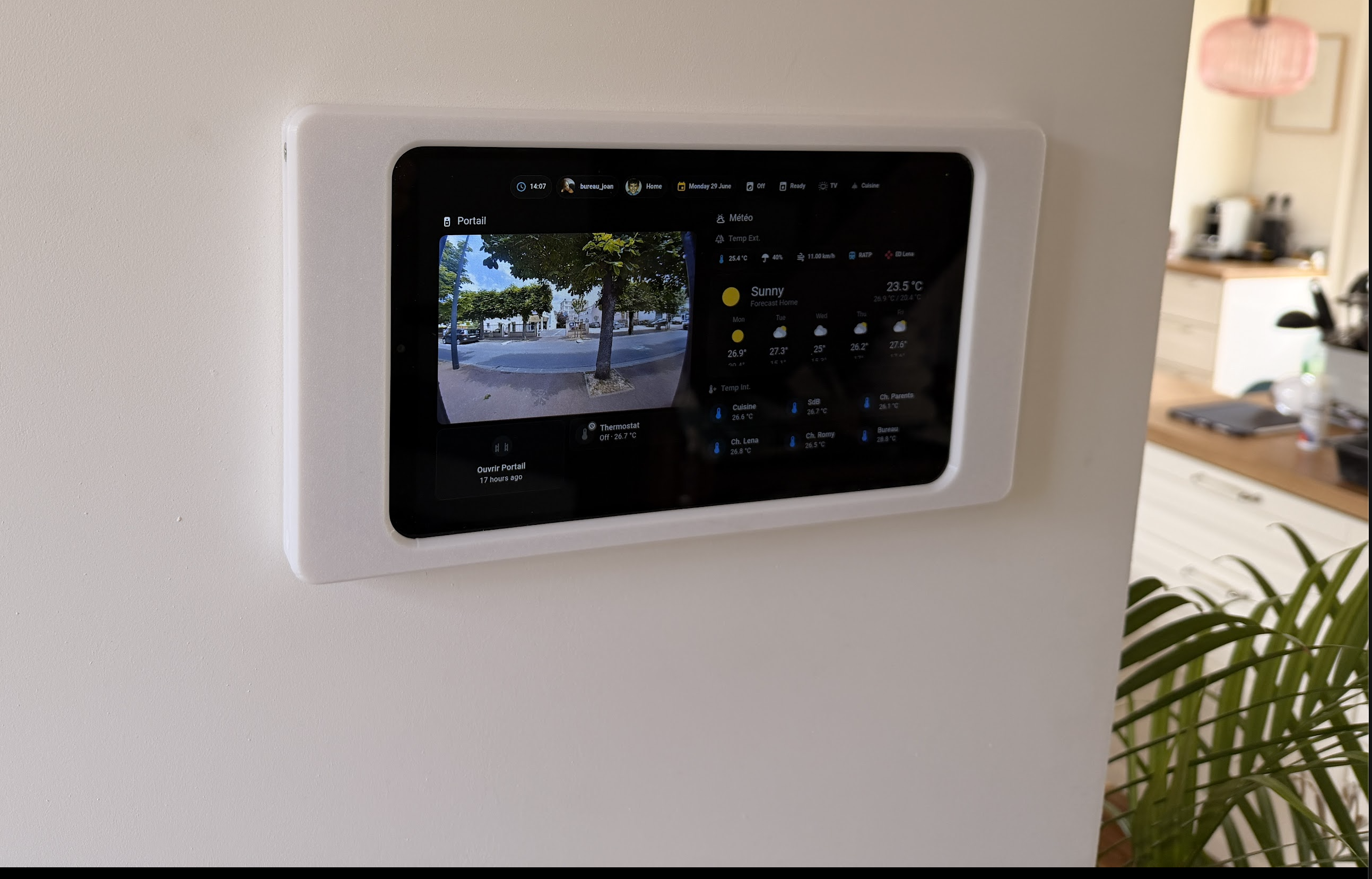
Why hand it to an AI
Home Assistant is great, but the config is a mix of YAML, Jinja templates, deprecations, integration quirks, and a long tail of small rules to remember.
I’m applying the exact same pattern I use to automate everything at work, but
for personal automation, led by GitOps: versioned, audited, and standardized
with rules and an AGENTS.md.
An agent that reads the repo, follows the project rules, and writes the right pattern the first time is much better at this than I am after a long day, or than me clicking through the HA web app. I stay in the loop on the part that matters: the diff.
The setup, boring on purpose
The Home Assistant box reads its config from disk, like always. The repo on my laptop never replaces that as the source of truth. The trick is just: mount the box’s config folder over SSH, edit live, and snapshot the result into Git.
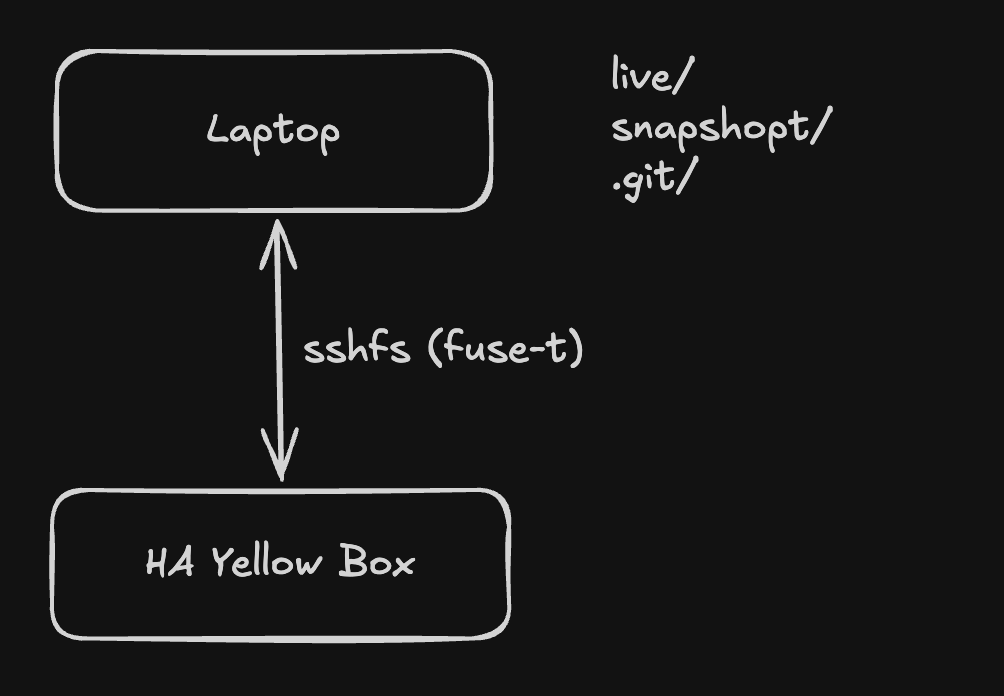
Three backup tiers sit on top of Git:
- Home Assistant’s native daily backup, on the box itself.
- An add-on that ships those backups off-site to object storage every few hours.
- This Git repo, where every config change has a diff, a message, and a date.
The daily loop
It is a thin Makefile with one job per verb:
The actual editing is the agent’s job. I describe what I want, it edits the
live files (automations, dashboards, buttons) through the mount, I review the
diff, I run check and reload, then sync and commit. Conventional
Commits, in English, written by the agent:
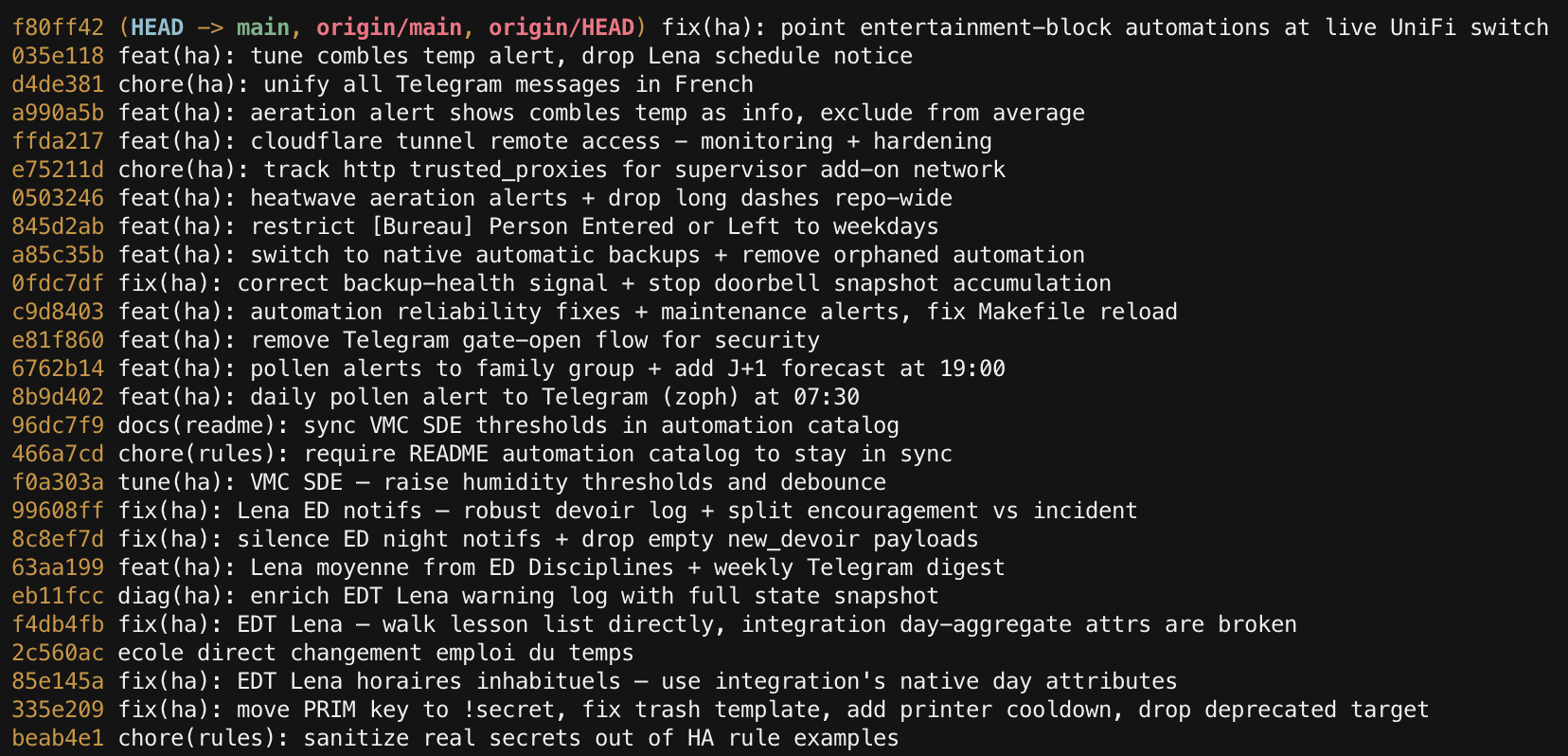
A side benefit: the README has a catalog of every automation, and a repo rule says docs and config must change together. The agent updates that table in the same edit, every time. The repo stays self-documenting without me thinking about it.
Three automations that earn their keep
Washing machine, with a nudge
Cheap and useful. A power sensor flips a template binary_sensor when the
washer cycle ends. The automation waits five minutes to be sure, then pushes
a message to the family chat. Twenty minutes later, if I forgot, it nudges me
again.
|
|
Boring. Restart-safe. The reminder uses a delay, the time window keeps it
quiet at night, and the secret stays in secrets.yaml.
Attic access point, thermal cutoff
A high-end Wi-Fi access point lives in the attic. The vendor says it tolerates up to fifty degrees Celsius. My attic in summer says, hold my beer.
The automation watches the attic temperature sensor. Above thirty seven
degrees for five minutes, it tells the network switch to cut PoE on that
port. Below thirty degrees, it brings the port back. Seven degrees of
hysteresis stops it from flapping. A homeassistant: start trigger
re-evaluates after a reboot, so the radio is never accidentally left in a
dangerous state. Telegram gets one line per transition.
This is the kind of rule I would never have bothered to write by hand. The agent wrote it in one pass, with the correct hysteresis and the restart trigger I was about to forget. It even checked the access point vendor’s technical docs along the way.
Heatwave shutter and ventilation advice
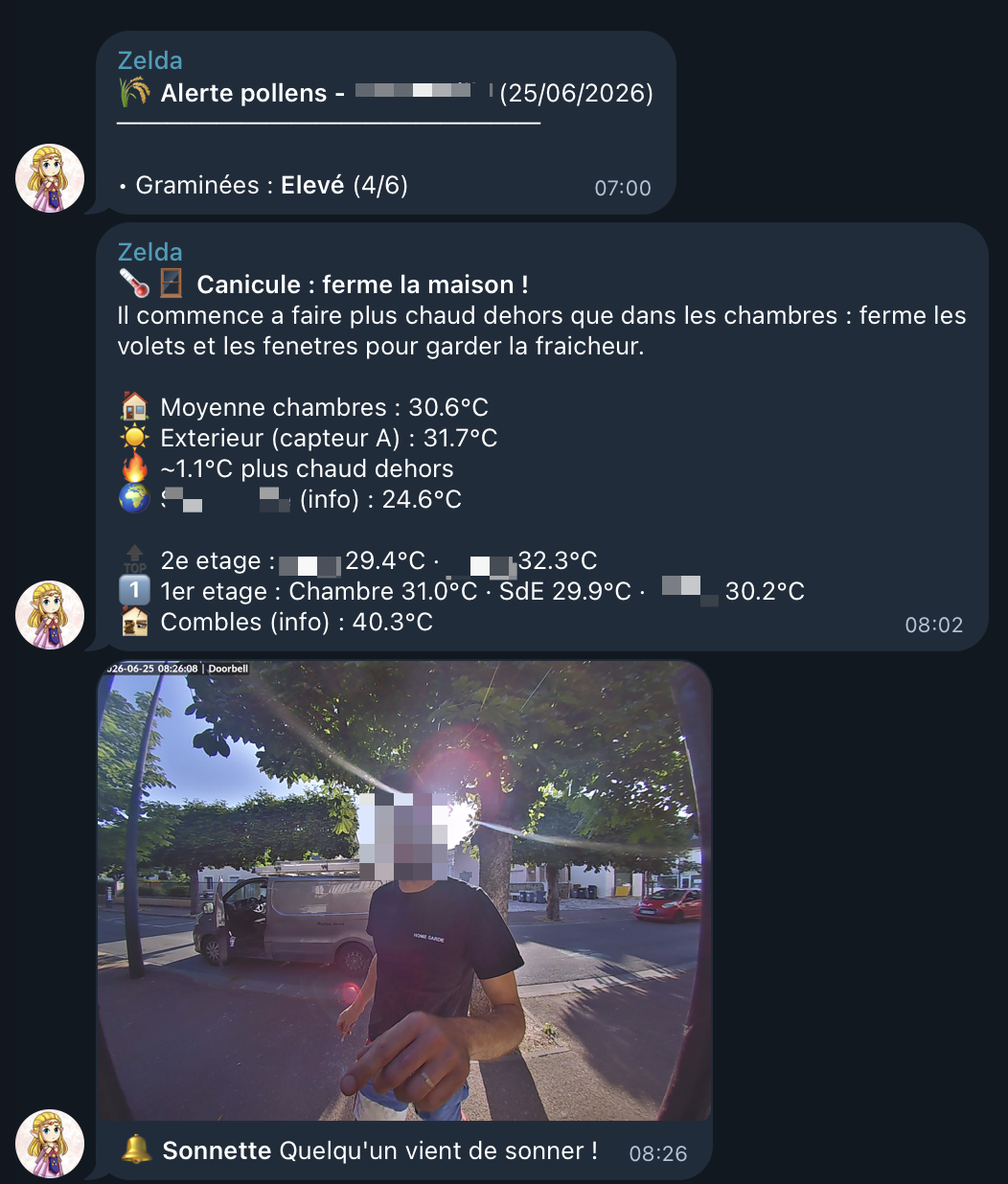
The same agent wrote a heatwave routine. Between six in the morning and one in the afternoon, if the outdoor temperature climbs above the average of the bedrooms, the family chat gets: close the shutters, close the windows. In the evening, if the outdoor temperature drops below the indoor average, it says: open up, let the air in. Half a degree of hysteresis, a three hour cooldown per direction, and a fallback weather source if the local sensor is offline.
This is the kind of advice my grandmother used to give for free. Now the house gives it to everyone, on time, even when nobody is paying attention.
Remote access with a Cloudflare Tunnel
No open ports on the router. The mobile app and the browser talk to Cloudflare. Cloudflare talks to a small tunnel add-on on the home server. The add-on talks to Home Assistant on the local network. The home IP is never exposed.
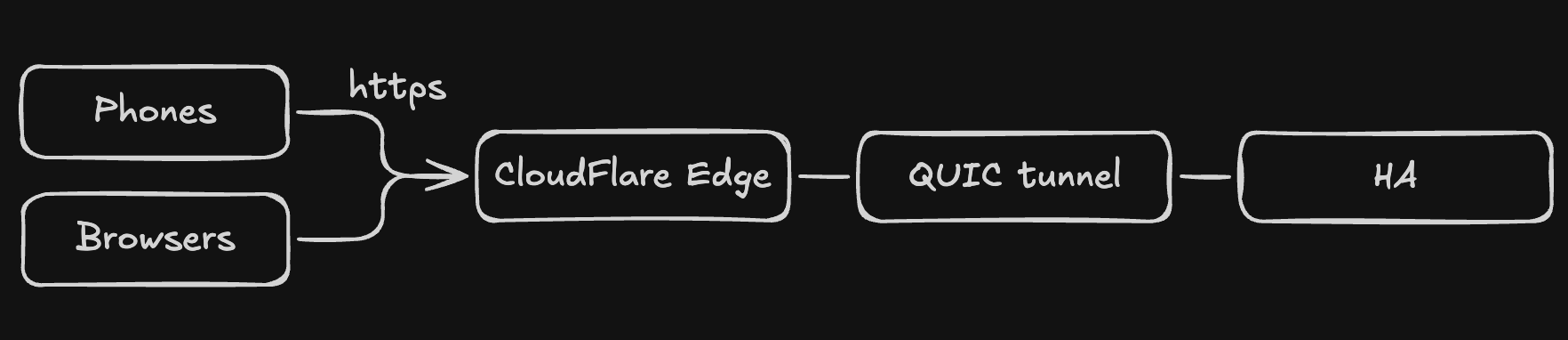
The hardening is layered, and it has to stay app-friendly:
- Cloudflare WAF blocks traffic from outside the countries I actually use. Block action only, never an interactive challenge: the mobile app cannot solve a browser challenge and would just refuse to log in.
- A rate-limit rule on the login path stops password spraying without breaking normal logins.
- Home Assistant has per-user accounts with TOTP two factor on each one.
- The HA
http:block trusts the tunnel add-on’s small private subnet as a proxy, sees the real client IP, and bans it after five failed logins.
One small automation watches the tunnel add-on’s status. If it stays down for five minutes, I get a Telegram message. When it comes back, I get another. That single alert has caught every Cloudflare error 1033 I would otherwise only have noticed when someone at home asked why the app was dead.
Guardrails that make AI-driven config safe
Letting an agent edit a live home network sounds wild. It is fine, because of a few small rules:
- Secrets are never in the repo.
secrets.yamlis gitignored, every credential is a!secretreference, andmake syncruns a leak scan before any commit. - Nothing reloads until
make checkis happy. - Time-driven safety automations always include a
homeassistant: starttrigger or use aschedulehelper, so a reboot cannot leave a charger or a radio in the wrong state. - Each logical alert group gets its own cooldown helper, so one alert cannot silence another.
- The repo has rules the agent reads at the start of each session, and a docs-sync rule that fails the change if the catalog and the YAML disagree.
The agent moves fast inside those rails. I review the diff, the rails catch the rest.
What I get out of it
- Changes that used to take half an hour take two minutes.
- Every change has a diff, a message, and a date. Rollback is one
git checkoutaway. - The repo is portable. A new laptop or a re-flashed box rebuilds from the same files.
- The docs are always current, because the rule says they must be.
- I think about the house less. The house thinks for itself.
Automate everything. Keep it boring.
That’s all, folks! 👋🏼
zoph.